by Roe Pressley
DocuCopies.com
Table of Contents:
As a trusted provider of online book printing, we're often asked:
"Where do I start when printing a book?"
We wrote this guide page to give you a complete roadmap to success, but here's a quick summary if you're short on time:
- Start by defining your audience and purpose.
- Establish your budget and ideal price-per-book.
- Choose your binding method, paper stocks, and cover options based on your content and budget.
- Consider extra finishing options if appropriate.
Creating your own custom book requires a carefully crafted approach, whether for creative outlets, educational uses, professional communication, or advertising. The choices you make — from the book size, to the cover graphics, to the paper and binding options — must be tailored precisely for your intentions if you want your project to have the maximum effect.
This guide explains each decision step-by-step so you can create a professional printed book with confidence. Start your custom book printing journey on the right foot.
Before we dig into the nitty gritty, you may be wondering...
Why is book printing still popular?
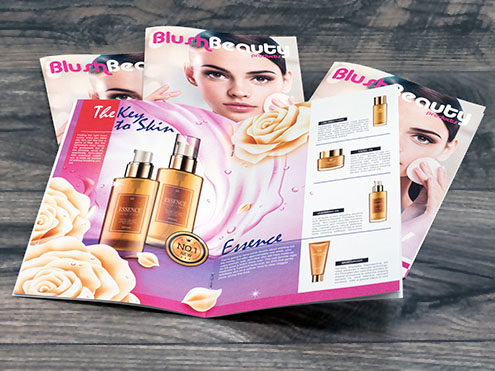
Despite the emergence of computers, tablets, smartphones, e-readers and other electronic media, there will always be a place for good old-fashioned book printing. While electronics have their merits, there are many reasons why printed books are more suitable than electronic solutions.
- Monetization
Custom book publishers have more control over their product when there are no digital versions floating around. Book printing offers built-in control over digital piracy, since scanning each individual page damages the book and is expensive and labor-intensive. Plus, reputable print companies will not let customers scan copyrighted content to print books without written permission.
- No Setup Required
When you have your books custom printed, no one has to buy a device, register an account or commit to a subscription to start reading. This is especially important with training books, technical manuals and other professional uses, because buying devices and onboarding your whole team can be costly and time-consuming.
- More Readers Prefer Printed Books
With screens on our phones, fridges, coffee makers and soda machines these days, it's no surprise many people get screen fatigue. Printed books provide a welcome break from electronic overstimulation.
- Digital Gets Forgotten
In a world where everything is literally at your fingertips, a lot of content is "easy come, easy go." But a professionally printed book is less likely to be forgotten about than a PDF you downloaded two weeks ago. As for comprehension and retention, there is evidence to suggest that we learn better when we read from printed books than we do from screens.
- Custom Printing & Binding Grabs Attention
Imagine setting up a booth at a convention, telling visitors about your amazing products, but then referring them to your online catalog with a business card. How many sales did you just lose? You'll never know for sure. But when you have printed catalogs ready to hand out, you've got a high-grade fishing lure. Your prospect is much less likely to throw away an entire printed booklet than a tiny piece of cardstock. And with the right combination of quality paper, compelling graphics and crisp photos, you can be confident that your book printing budget is money well-spent.
Let's dig a little deeper.
Choose the Audience, Purpose, and Format for Your Book
Start by defining the purpose of your book. How it will be used, and by whom, should guide every production decision.
For example, self-published books like novels, memoirs, and fiction often prioritize a professional, bookstore-quality appearance. Authors typically choose perfect binding with a printable spine, carefully selected paper stock, and a custom-designed cover to create a polished final product.
Training materials and workbooks, on the other hand, are designed for heavy use. These projects often benefit from durable binding options like spiral, Wire-O, comb binding, or 3-ring binders that lay flat and allow for easy note-taking or page updates.

Catalogs are typically image-heavy and marketing-driven. They often use glossy paper selections for vibrant color reproduction and may use saddle-stitch or perfect binding depending on page count and presentation goals. Longer collections, like those produced by wholesalers for use by individual retailers, may benefit from spiral binding instead.
Newsletters are usually distributed frequently and produced in shorter runs. Cost-effective options like saddle-stitch binding and lighter paper stocks are common choices for this format, especially if they'll be used in a direct mail campaign.
Once you've defined your project's purpose, you can confidently choose the right paper type, trim size, finishing options, and binding method to match both your functional needs and your budget.
Set the budget for your book printing project.
Price considerations are an important aspect of any book publishing project. Many different elements affect your overall cost as well as the cost per book, so it's wise to consider this when planning your budget.
What affects book printing costs?
Generally speaking, your book printing costs will be affected by the following specifications:
- The number of pages per book.
The more pages, the more cost.
- The quantity of books you're printing.
Most printing companies have price breaks. The more you order at once, the lower the price per piece.
- The finish size of your book.
Standard sizes (those requiring the least amount of cutting, and which can be printed multiple times on a larger sheet such as 11x17" or 12x18") will be cheaper than custom trim sizes. For most binding types, the lowest prices will be 4.25x5.5", 5.5x8.5", 6x9", and 8.5x11".
- Whether it's color or black and white (especially the inside pages).
If your book has only a handful of color pages (30% or less) but is mostly black and white, there can be some savings. This requires requesting a custom quote since this uses a formula that's too complex for the automated cost calculators.
- What kind of binding you choose.
For most sizes, book binding prices follow this pattern:
- Saddle stitch binding (least expensive)
- Spiral binding
- Perfect binding
- Wire-o binding
- Comb binding
- 3-ring binders (most expensive, unless you supply your own binders in bulk and assemble them yourself)
- The paper and cover stock selections.
The heavier and thicker the paper, the more cost. Glossy finishes also add cost compared to Smooth.
- Finishing options such as lamination, tab dividers, and corner rounding.
Choose the Right Book Binding Type for Your Project.
Choosing the right book binding is one of the biggest factors in how your finished book looks, feels, and holds up over time. Determining which binding method is best for your book will depend on the choices you made regarding audience, purpose and budget.
Below are the most popular book binding types, with links to the product pages if you want more info or to place an order.
What are the main book binding types, and which one should I choose?
- Spiral Bound — Durable, budget-friendly, and lays flat for easy writing and reading.
- Wire-O Bound — A more polished, professional look that also opens flat.
- Perfect Bound — Clean paperback-style binding with a printable spine (great for books meant for shelves).
- Saddle-Stitch — Stapled along the fold; a classic, cost-effective choice for booklets, programs, and magazines.
- Comb Bound — Flexible and easy to add/remove pages when needed.
- 3-Ring Binders — Ideal for training manuals and reference materials that need frequent updating.
Not sure which option fits your project? These in-depth comparisons can help:
Printing a perfect bound book? Use this step-by-step resource to help design your cover and spine:
Choose the Best Paper and Cover Stocks for Your Book
Selecting the right paper stocks for the insides and covers affects readability, visual impact, durability, and overall production cost. The best choice depends on how the book will be used, the type of content inside, and whether budget or presentation is the top priority. For descriptions of the many options we offer, and help choosing the perfect stocks for your custom book, read this entire section.
But first, our recommendations:
What is the best paper for printing a book?
While there's no one answer that is 100% correct for every single project, there are some paper and cover stocks we recommend for printing books that are neither too flimsy nor too expensive. When in doubt with where to start, you're generally safe for most custom book projects by selecting the following paper options:
Best paper for inside pages:
We typically recommend 28/70# Text Smooth for most uses. This is a bright, mid-weight paper stock suitable for both text and graphics. It looks and feels very professional without driving the cost up into the luxury zone.
Best book cover paper weight:
In most cases, we recommend the 100# Cover Smooth or Gloss. This has the typical weight and thickness of a postcard or business card, so it feels substantial without going overboard in cost or thickness.
But seeing is believing — and feeling is even better. With that in mind, it's never a bad idea to order a hard copy proof before committing to a large quantity of books. This allows you to see and feel a printed, bound copy of your book so you can evaluate both the print quality and tactile experience yourself. To do this, select Hard Copy Proof at the bottom of the product's order form. This has a base cost of $39.95, plus $0.10 per printed page.
Another option is to request a free paper sample kit. Most book printing companies offer these free on request. To get a sample kit from us, simply contact us with your request and your mailing address.
For help choosing the right paper and cover stocks for your particular project, consider the following:
Paper options for interior book pages
Interior paper choices are typically driven by whether the content is image-heavy or primarily text-based. Glossy and coated papers enhance color and images, while uncoated smooth papers prioritize readability and comfort for longer reading sessions.
- For text-oriented books such as novels, manuals, workbooks, or academic content, uncoated smooth papers are usually preferred for readability and reduced glare. Common options include 24/60#, 28/70#, or 32/80# Smooth.
- For pages that are heavy in color, graphics, or photos, glossy or coated text stocks are often the best choice. These papers (such as 32/80# Text Gloss) improve color saturation, contrast, and image clarity.
- For publishers who want a heavier, more substantial feel while still maintaining a glossy finish, 100# Text Gloss offers a premium look and added durability.
- If budget and print volume are the primary concerns and the content is not intended to convey a high-end or professional presentation, 20/50# Bond may be an acceptable and economical option.
Gloss Paper Spectrum (less shine to more shine)
Relative positions for common digital printing papers. Left is less gloss, right is more gloss.
For more information about paper stocks, including definitions and explanations about the coatings or finishes, check out our Paper Selections resource page.
What cover stock should I choose for my book?
The cover is often the first impression a reader has of a book. We're all told not to judge a book this way, but in reality, most people still do to some extent. It's human nature!
Cover stock choices should balance visual impact, durability, and cost, while supporting the design and intended market.

Paper options for book covers
- Covers with a lot of color, graphics or photos generally look best with a glossy finish, which enhances artwork and photography.
- Smooth, uncoated covers can be a more professional or understated choice in some cases, especially for literary, academic, or corporate publications.
- 100# Cover Smooth or 100# Cover Gloss offers one of the best overall balances of cost, durability, and print quality for most publishers.
- 12pt C1S is a popular option for trade paperbacks, featuring a high-gloss exterior for visual impact and an uncoated interior surface that feels natural to the touch.
- Heavier cover stocks, such as 16pt Extra Thick, may be appropriate when additional rigidity or a premium feel is desired, such as for art books, limited editions, presentation copies, or books intended for frequent handling.
-
Synthetic paper is a good choice if your books will be handled repeatedly over the course of several years, or used in wet or greasy environments such as industrial settings and kitchens (think cookbooks, service manuals, etc).
Book Finishing Options
Finishing options can add durability, functionality, and visual appeal to a printed book. While not required for every project, the right finishing choices can significantly improve your book's performance and impact. Finishing options are often influenced by how the book will be handled, who the audience is, and whether the book is intended for everyday use, resale, or presentation.
Lamination
Lamination adds a protective plastic layer to the cover (and inside pages when needed), which improves durability and resistance to moisture, scuffing, and wear. It also affects the visual finish and tactile feel of the book, adding a significant thickness and weight.
- Gloss lamination enhances color vibrancy and contrast, making it a popular choice for covers with photography, illustrations, or bold graphics.
- Matte lamination reduces glare and provides a softer, more refined appearance, often preferred for professional, literary, or corporate publications.
- Lamination is especially recommended for books that will be handled frequently, used in kitchens, industrial or outdoor environments, or carried in bags or backpacks. Cookbooks, technical training books, and school yearbooks are prime examples of book types that greatly benefit from laminated covers (and often interior pages).
Clear Covers and Vinyl Backings
While these don't offer as much protection as fully laminated sheets, clear covers and vinyl backings do make books resistant to spills, smudges and other incidental hazards. They're also more affordable than full lamination, so this is something to consider if you want added protection without all the added cost.
Divider Tabs
Tab dividers are die-cut sheets with tabs running along the outside edges of the book pages. This helps readers quickly locate specific sections on the go. Useful for technical materials, training books, and directories, these 90# Index card stock sheets are an indispensable enhancement for publications when quick, easy navigation is important.

- Commonly used in manuals, textbooks, training materials, planners, and reference guides.
- Available with spiral, wire and comb binding, as well as 3-ring binders.
- Tabs have a trilar coating to resist bending and tearing. These can be printed (including on the body of the sheet) or left blank depending on the design and navigation needs.
- Section tabs improve usability in books that are meant to be referenced repeatedly rather than read straight through.
Rounded Corners
Corner rounding replaces sharp edges with smooth curves, improving both durability and safety. This finishing option also softens the overall look of a book.
- Frequently used for children's books to reduce the risk of sharp corners and make pages safer for young readers.
- Helps prevent corners from bending, creasing, or fraying during heavy handling.
- Can create a friendlier, more approachable aesthetic for educational materials, workbooks, and promotional books.
If you are unsure, start with a simple, proven combination and upgrade selectively. For many publishers, 100# Cover (smooth or gloss) paired with an appropriate text or smooth interior sock offers a strong balance of cost and quality.
File Setup Requirements for Professional Book Printing
Preparing your files correctly is one of the most important steps in professional book printing. Even the best paper, binding, and finishing options cannot compensate for low-resolution images or incorrect margins. Taking a few minutes to review basic file setup requirements will help ensure your printed books look sharp, aligned, and production-ready.
Whether you're designing in Microsoft Word, Adobe InDesign, Canva, Google Docs, or another layout program, your final file should meet professional printing standards before submission. The key factors to review are image resolution, margin spacing, and exporting your layout in the proper format.
What file format and settings should I use for book printing?
- Export your final layout as a PDF — While many software programs can be used for writing and layout, always export your completed book as a high-quality PDF before submitting it to a professional book printing service.
- Use 300 DPI resolution — All images and graphics should be set to 300 dots per inch (DPI) at final print size to ensure crisp, professional-quality printing without pixelation or blurriness.
- Allow proper margins and binding space — Keep at least 0.5" on the binding edge to prevent content from getting too close to the binding, and maintain at least 0.25" margins.
- Review bleed setup guidelines — Special setup is required when you want printing to extend all the way to the edge, which is called a bleed.
Common Book Printing Mistakes to Avoid
Most book printing problems are preventable. If you plan your paper, binding, and file setup early, you can avoid delays, unexpected costs, and disappointing results.
- Choosing paper before defining the audience and purpose. Paper and finish should match how the book will be used, not just how it looks on screen.
- Using photo-heavy designs on uncoated text papers. Smooth uncoated stocks are great for readability, but coated or gloss text papers typically reproduce photos and color more accurately.
- Picking a binding style that does not match the page count. Some bindings are best for low page counts, while others are designed for thicker books and frequent handling.
- Not planning for bleed, trim, and safe margins. Artwork and backgrounds that extend to the edge should include bleed, while important text should stay safely inside the trim area.
- Forgetting the spine width during cover design. Perfect bound and other spine-based bindings require correct spine measurements so the front, spine, and back align properly.
- Assuming screen color will match print color. Printed color depends on paper type, coating, and production conditions. Coated papers usually make colors appear more vibrant than uncoated papers.
- Overbuilding finishing options on a tight budget. Lamination, tabs, and other finishes can add value, but they should support the project goals and fit the budget.
 Processing...